


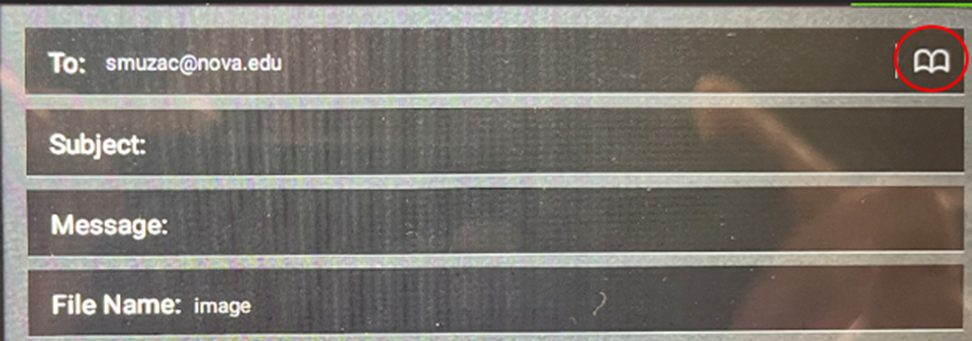
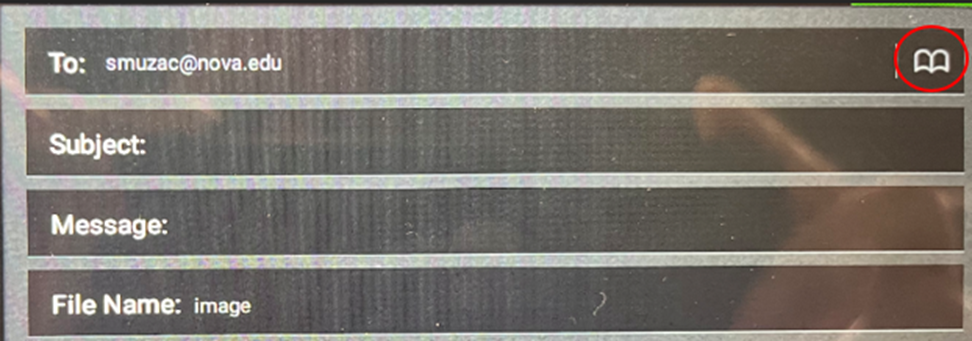
- If you need to send this to a different email address, tap on the address book icon (circled in red)
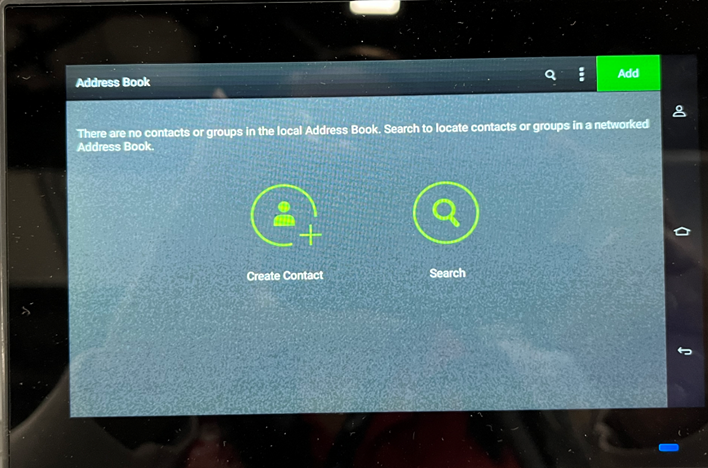
- For first-time use, the address book list may look empty. To add in an email address, tap Create Contact
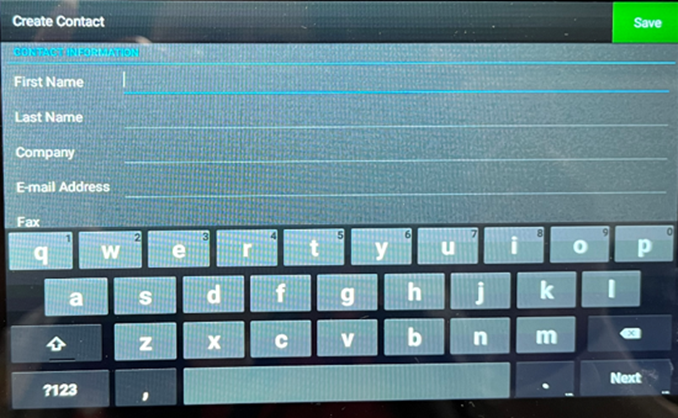
- Fill in First Name, Last Name, and E-Mail Address. Tap the green Save button.
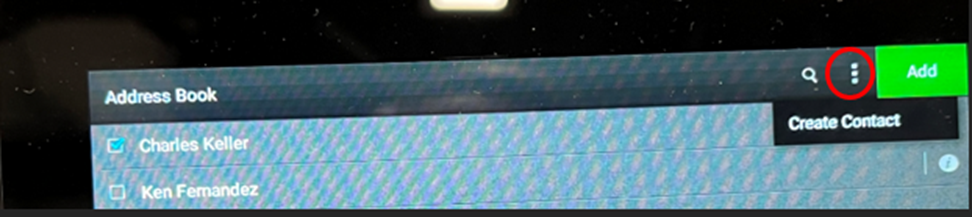
- To add more users, Tap on the three vertical dots and tap Create Contact. Repeat step 3 to fill out the necessary fields to add a user.
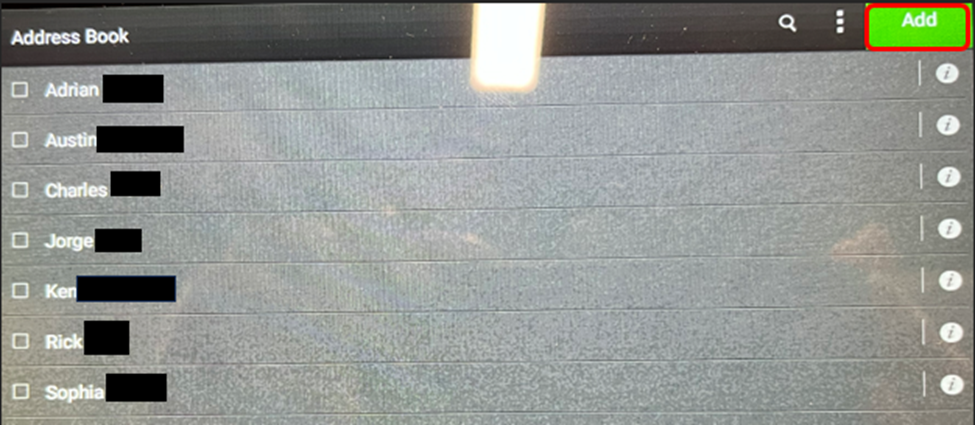
- To add users to receive the scanned document, Tap on the address book.
- Select the recipients. Tap Add
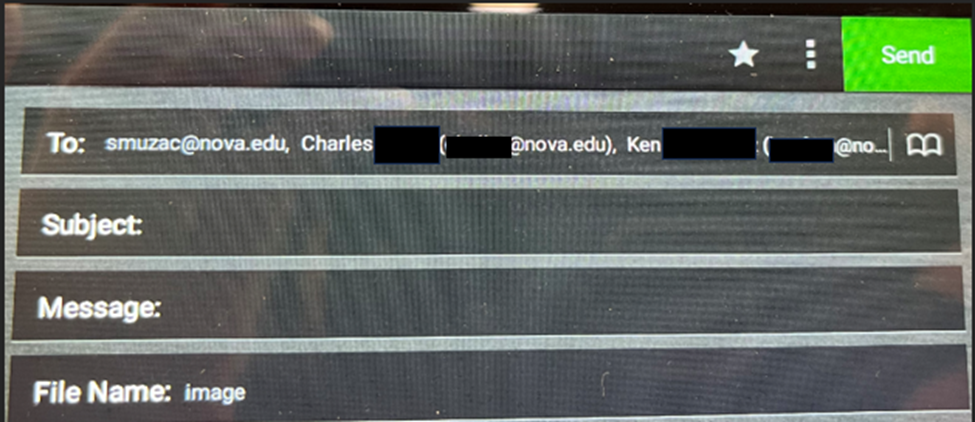
- In the To field, all the email addresses are now listed. Tap Send
SharkLink
SharkLink is NSU's online portal. With a single username and password, students, alumni, faculty, and staff members can easily access many online university applications.
Quick Guide
Students (PDF)Microsoft Online Archive
Faculty and Staff (PDF)
Current Hours of Operation
Monday-Friday: 8:30 a.m. – 5 p.m.
Saturday: Closed
Sunday: Closed
Closed on University Holidays
Holiday Schedule
Help Number for Students:
(954) 262-4357
Toll Free:
800-541-6682 ext. 24357
Help Number for Staff:
(954) 262-0070