


Receiving a Fax Directly from RightFax via Outlook
- Open MS Outlook.
- Find the shared inbox for the associated Fax line.
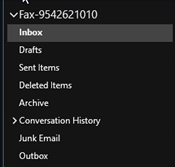
- Select the intended fax from the inbox.
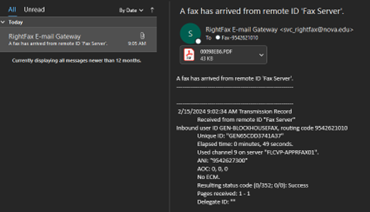
- Open the file attachment to view the fax.
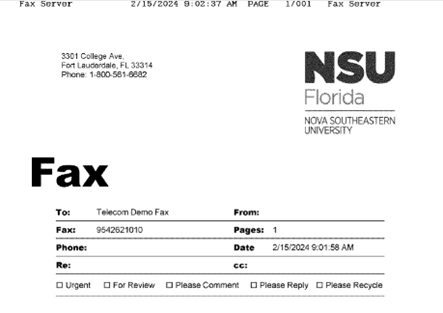
Sending a Fax Directly from RightFax via Outlook
- Open a new email and set the destination number @fax.nova.edu. (i.e. if you were to
send a fax to 954-262-1010 your destination email address would be 9542621010@fax.nova.edu.
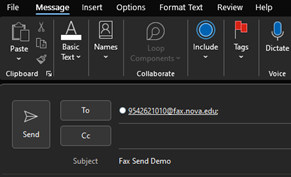
- Add your Office document or PDF attachments to be sent with the fax.
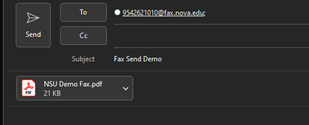
- Press Send.
- You will be able to track the status of the fax send in the RightFax web interface.

Note: This fax will be sent with whatever Options are set on your account, including cover page.
SharkLink
SharkLink is NSU's online portal. With a single username and password, students, alumni, faculty, and staff members can easily access many online university applications.
Quick Guide
Students (PDF)Microsoft Online Archive
Faculty and Staff (PDF)
Current Hours of Operation
Monday-Friday: 8:30 a.m. – 5 p.m.
Saturday: Closed
Sunday: Closed
Closed on University Holidays
Holiday Schedule
Help Number for Students:
(954) 262-4357
Toll Free:
800-541-6682 ext. 24357
Help Number for Staff:
(954) 262-0070