


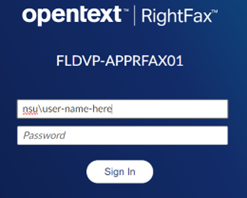
- Open a web browser to the RightFax Web Portal: http://fax.nova.edu/rightfax/user/
- Log in using your SharkLink user in the format of “NSU\(username)” and your network
password.
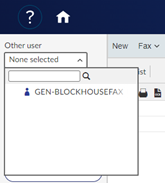
- Find the received fax in your account’s folders. If you are part of the shared fax
line and not a dedicated fax line, you will need to change your view to that inbox
by clicking on the Other user drop down list.

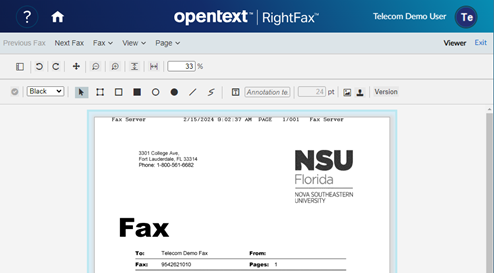
- Double-click on the fax to open it and view its contents.
Sending a Fax directly from RightFax via web
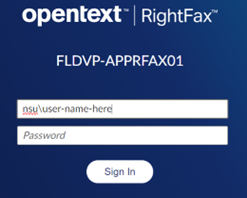
- Open a web browser to the RightFax Web Portal: http://fax.nova.edu/rightfax/user/
- Log in using your SharkLink user in the format of “NSU\(username)” and your NSU Sharklink password.
- Click on New in the top menu.
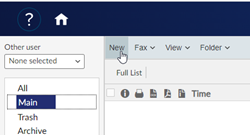
- Fill out the relevant destination information.
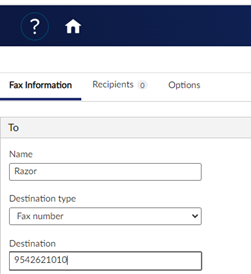
Note: Destination type should be “Fax number” and the destination field will be the 10-digit
fax number.
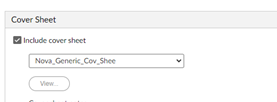
- If desired, select a cover sheet from the available cover sheets.
- Add your fax to send via the Attachments section.
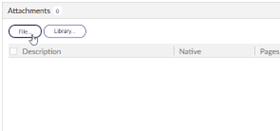
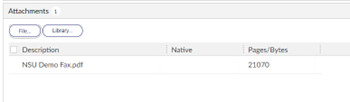
Note: Most MS Office and PDF documents can be attached as faxes.
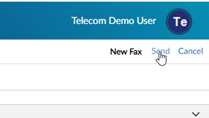
- Once all information has been filled out, the Send button can be activated, and the
fax will begin sending.
- You will be able to track the status of your outbound fax in the fax folders.


SharkLink
SharkLink is NSU's online portal. With a single username and password, students, alumni, faculty, and staff members can easily access many online university applications.
Quick Guide
Students (PDF)Microsoft Online Archive
Faculty and Staff (PDF)
Current Hours of Operation
Monday-Friday: 8:30 a.m. – 5 p.m.
Saturday: Closed
Sunday: Closed
Closed on University Holidays
Holiday Schedule
Help Number for Students:
(954) 262-4357
Toll Free:
800-541-6682 ext. 24357
Help Number for Staff:
(954) 262-0070